Contents
1. Project Management & Control Module
1.1 Project & Pre-Project Forms – Auto-Save EnhancementIntroduced auto-save functionality across Project Executions and Pre-Projects, including My Project Executions and My Pre-Projects.
- Forms now automatically save changes based on the relevant field interaction, removing the need to manually click Save.
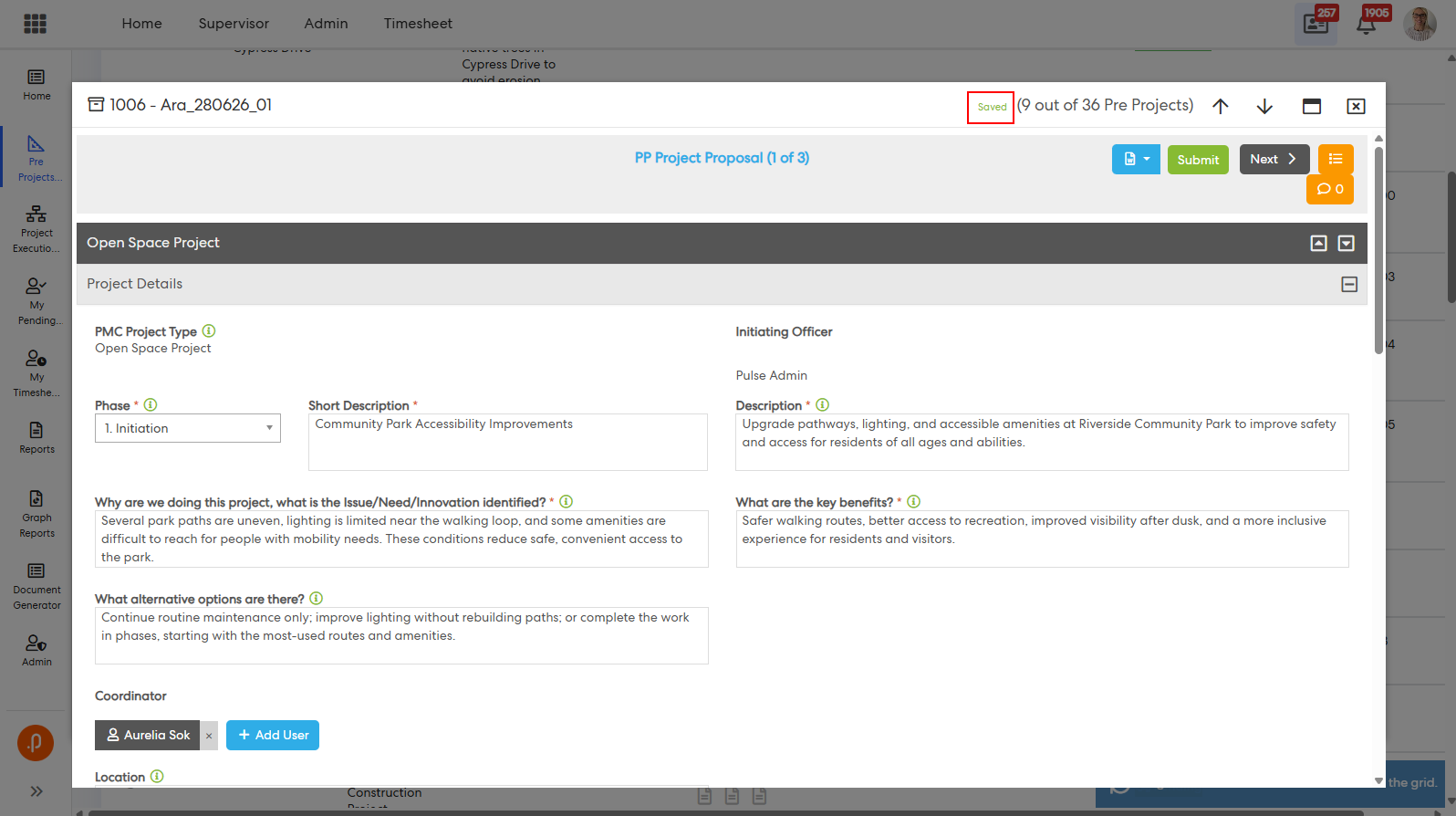
- A Saving and Saved indicator is displayed next to the relevant form/tab name.
- Only modified fields are saved, while unchanged data remains unaffected.
- Validation continues to apply, with valid field changes saved even when other fields contain invalid data.
- Field-specific error messages are displayed if an auto-save fails.
- Clearing an existing field value and moving away from the field will also save the change.
- Existing user permissions continue to determine whether a user can update form data.
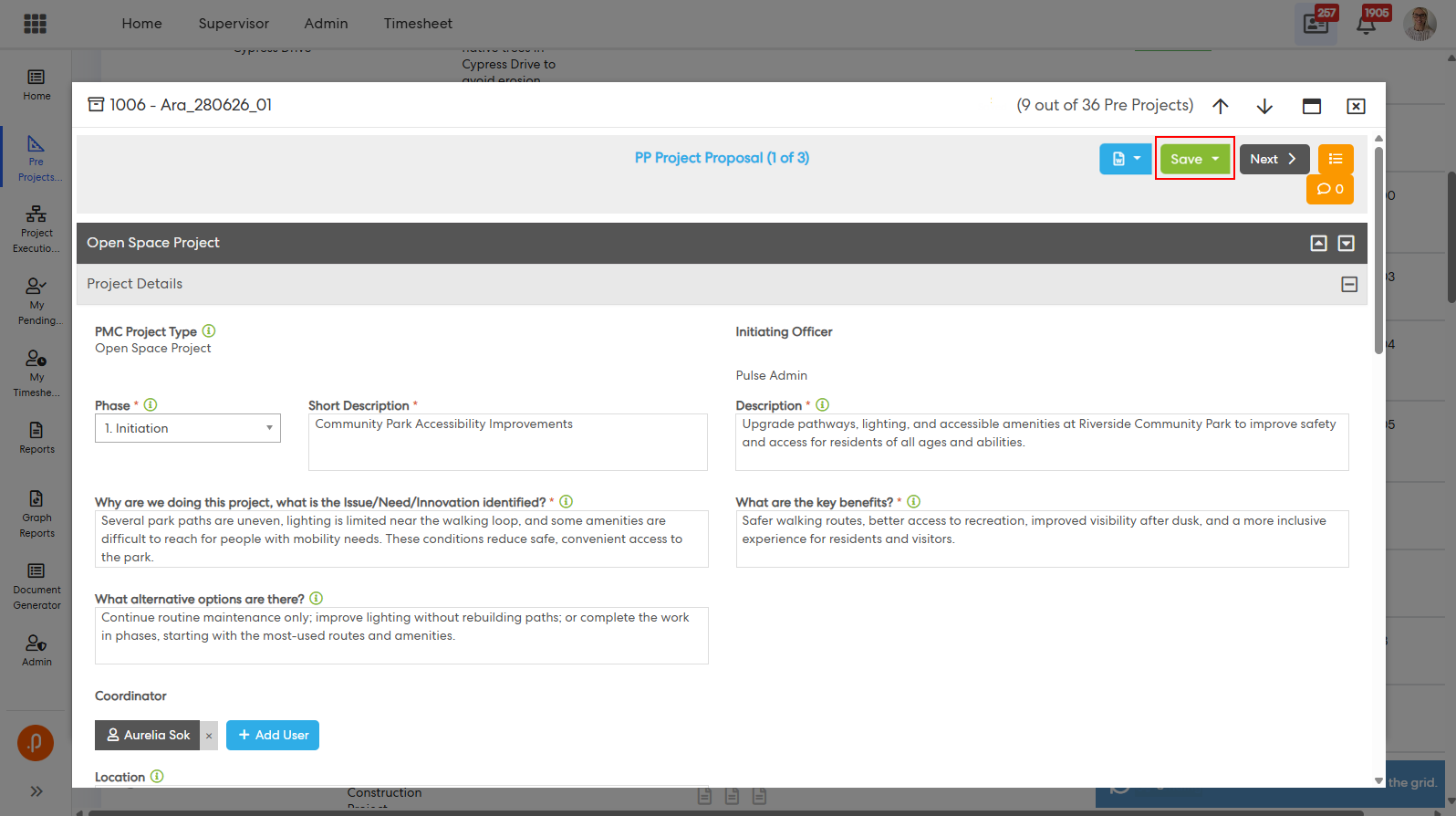
- Manual Save buttons have been removed from the applicable forms.
This enhancement provides a more seamless editing experience by automatically saving changes as users work through Project and Pre-Project forms.
Previous UI – Manual Save button required to persist changes:
New UI – Auto-save enabled; Save button no longer displayed:
Improved the loading performance of the Projects by introducing tab-wise dynamic field loading.
- Only fields for the active/default tab are loaded when a project is opened.
- Fields are dynamically loaded when users navigate to each tab.
- All applicable fields, including newly added fields, are loaded when a tab is accessed.
- Previously accessed tabs are efficiently retained/reloaded to improve navigation performance.
- A loading indicator is displayed while a newly selected tab is being loaded and is hidden once the tab is ready for use.
- Cached tabs do not display the loading indicator when revisited.
This enhancement reduces unnecessary data loading and improves the overall responsiveness of the Project Executions pages.
Issues resolved
Corporate Planning & Reporting
- Fixed an issue where editing or updating an Action in Additional Hierarchy returned an error.
- Fixed an issue where the Additional Hierarchy Compliance module performed slowly.
eLearning
- Fixed an issue where eLearning courses in the course catalogue were incorrectly hidden by the Hide Face-To-Face Courses Without Session(s) filter when sessions had been added to them.
- Fixed an issue where courses from the hidden/inactive Training Import appeared in the Request Training search.
Employee Performance Management
- Fixed an issue where Position Documents were not available to reviewers.
HR Core
- Fixed an issue where Spotlight Configuration remained enabled after its spotlight options had been removed.
Onboarding
- Fixed an issue where the "Organisational Task Reminder" and "You have tasks that require completion for a new staff member" notifications displayed incorrect placeholder data.
Performance Reporting Framework
- Fixed an issue where imported CPIs' Strategic/Organisational Hierarchy linkages were not recognised by filtering in Document Generator.
- Fixed an issue where imported CPIs incorrectly displayed as Update Not Required.
- Fixed an issue where CPIs/KPIs could not be created due to Vue scripts loading twice.
Project Management & Control
- Fixed an issue where the Bulk Project Execution Reassignment table failed to load when a project had no Initiating Officer set.
- Fixed an issue where subsequent approval forms on My Pending Approvals incorrectly displayed all steps as Approved, preventing the Approve action from being used.