Contents
1. Forms
1.1 Introduce Form Ownership PermissionForm Ownership Permission has been introduced in Forms 2.0 to give better control over who can view the submitted form records. Administrators can now assign users or user groups as Form Owners for specific forms without giving them full admin access.
All form ownership changes are tracked using the audit logging framework, ensuring a clear history of ownership updates for traceability purpose.
Step1: Login as module administrator
Step 2: Navigate to the Admin Menu and click Manage Form Owners tile.
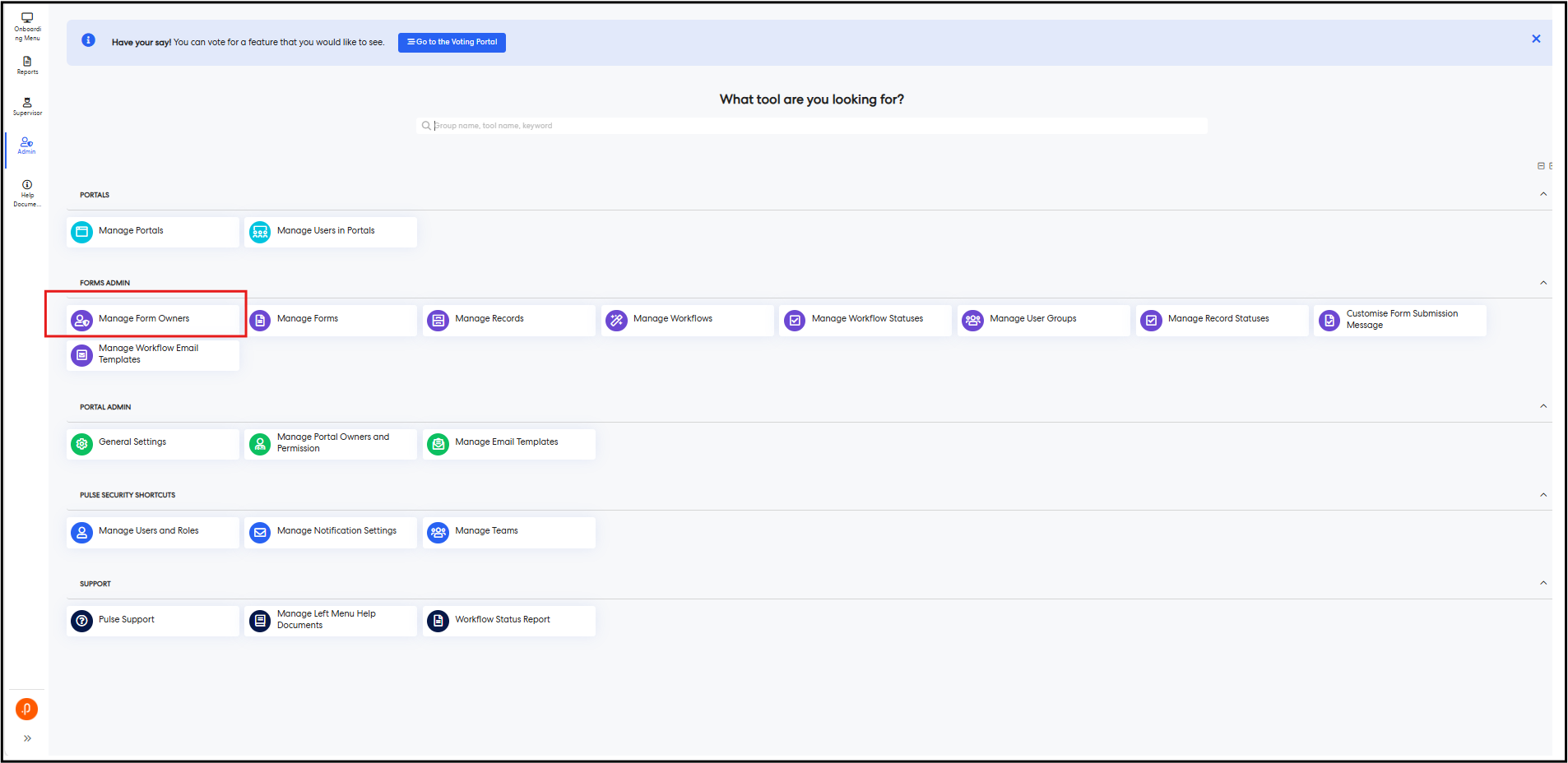
Step 3: From the form dropdown, select the required form.

Step 4: In the Form Owner tab, click the + Add Form Owner button. The Add Form Owner pop-up is displayed.

Step 5: Select a User or User Group as the form owner and click Add.
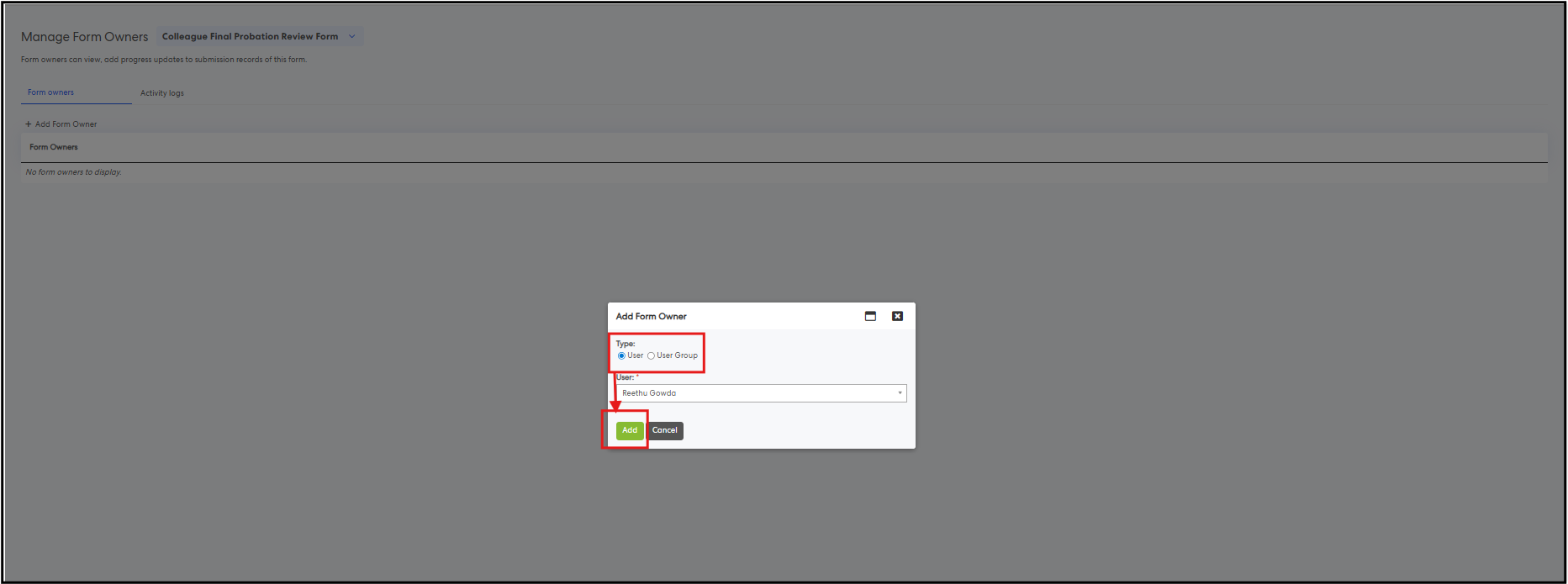
The selected user or user group will be added as the form owner.

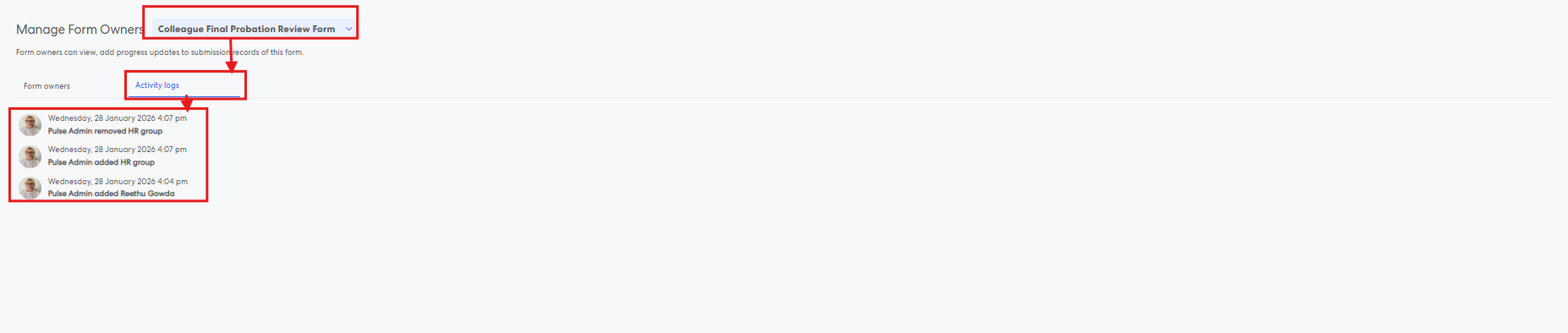
Step 6: Navigate to the Activity Log (Audit Logs) tab to view form owner management actions. This tab shows all form ownership changes, including when a form owner is added or removed, along with the user who performed the action and the timestamp of the activity.
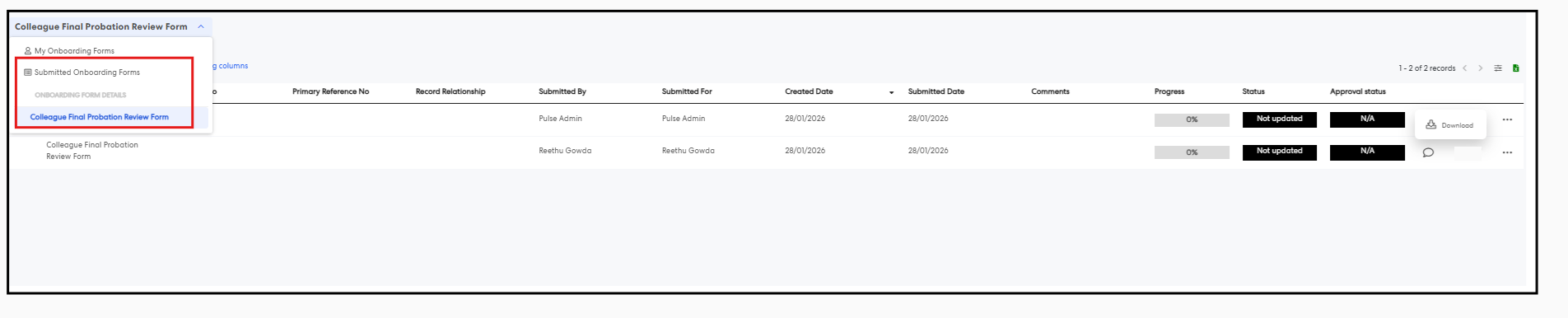
Step 7: Log in as a Form Owner and navigate to the Manage Records page. The Form Owner can view submitted records only for the forms they own.
- The Submitted Forms view displays all records submitted by any user for the forms the Form Owner owns.
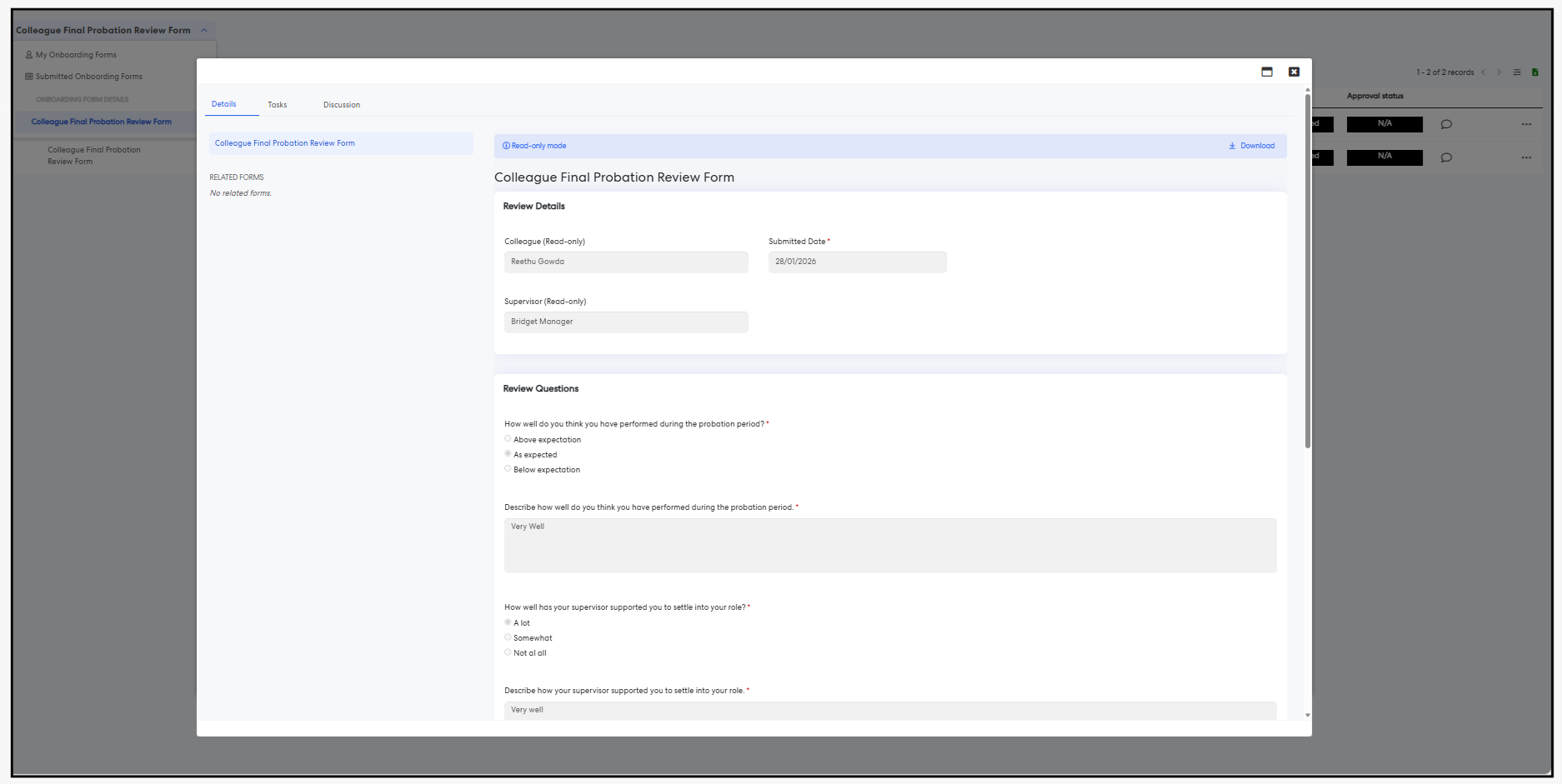
- The Individual Form view (for example, Colleague Final Probation Review Form) shows records submitted specifically for the selected form.
- Form Owners can:
- View and download submitted forms
- Add discussions and manage tasks for submitted records
- Form Owners can enable and disable columns
- Form Owners can filter information
- Form Owners can export records to Excel
- Form Owners cannot edit or delete submitted forms.
Known Issue:
Progress Update Not Available for Form Owners
- Form Owners are currently unable to perform progress updates on forms where they are assigned as a Form Owner.
- The Progress Update button is not available for Form Owners.
- This is a known issue and has been identified as a defect.
- A fix is planned for a future release.
Issues resolved
Corporate Planning & Reporting Module
- Fixed an issue where rolling over with two tabs duplicated the hierarchy cumulatively.
Learning
- Fixed an issue where training history for deleted Learning users was hidden.
eRecruitment
- Fixed an issue where an “Index was out of range” error occurred when onboarding a new user from a job listing.
Project Management & Control
- Fixed an issue where adding controls to Risks via the ERM Risk Table field in a project form incorrectly triggered the “Risk Assigned to Officer” notification instead of the “Control Assigned to Officer” notification.
- Fixed an issue where some pre-project forms could not be exported.
- Fixed an issue where a deleted Scored Question Grid attribute still appeared in the Scored Question Summary scoring.
Forms
- Fixed an issue where an access error occurred when clicking the Parent link on a form task.
HR Core
- Fixed an issue where the import process did not create or update positions correctly.