The Customer Voting Portal available in Pulse is to balance new product development in line with customer requests while contributing to the long-term product roadmap. Each module has its own voting portal, directly accessible from the Admin pages in Pulse, and enhancement requests are transparent meaning it allows you to see the suggestions from other Pulse customers. If there is an enhancement you believe would be beneficial to other customers – speak with your network! We encourage you to use the portal as a platform to help communicate your needs as a user group. This will ensure Pulse delivers strategic and customer driven enhancements along with features to help align strategies, people, and organisational performance.
This change introduces a more flexible and detailed way to configure Key Performance Indicator (KPI) targets across different reporting periods. Users can now define period-specific targets rather than applying a single target across all periods of a selected frequency giving greater flexibility and precision in setting targets, enabling users to track and measure performance more accurately across different periods.
Key Enhancements:
Periodic Target Setup:
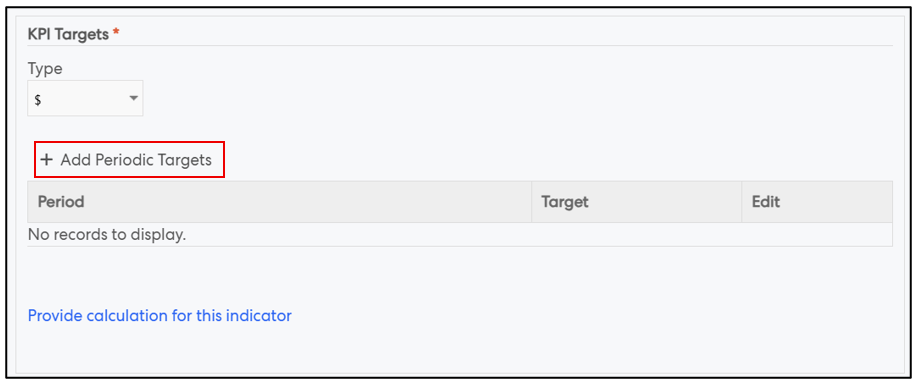
The targets section in the New Indicator pop-up, has been improved. Once the users selects a Type (%, $, Unit, Select List, Textual) and ability to add targets for specific periods using the '+ Add Periodic Targets' button is provided.
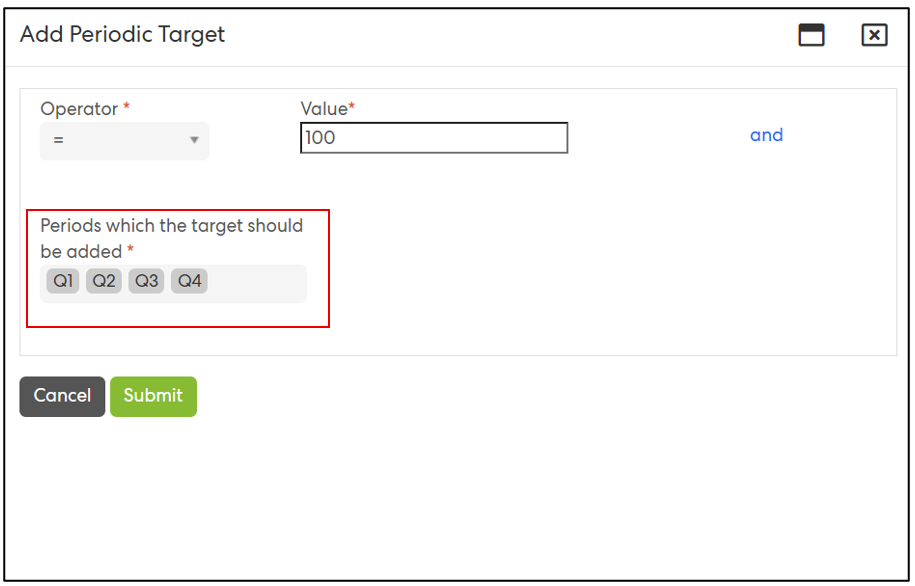
Targets can now be defined for individual periods (e.g., monthly: June, July; quarterly: Q1, Q2) rather than being applied uniformly.
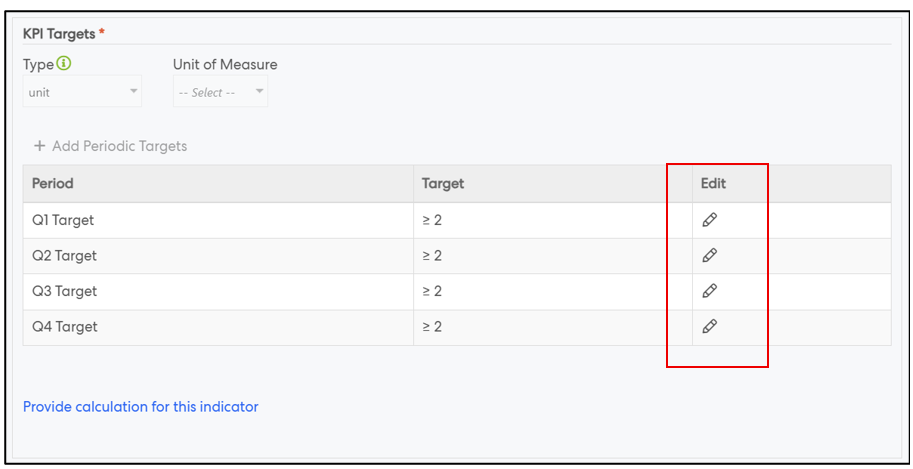
The table view reflects individual period targets, allowing edits and overrides.
Improved Validation and Warnings:
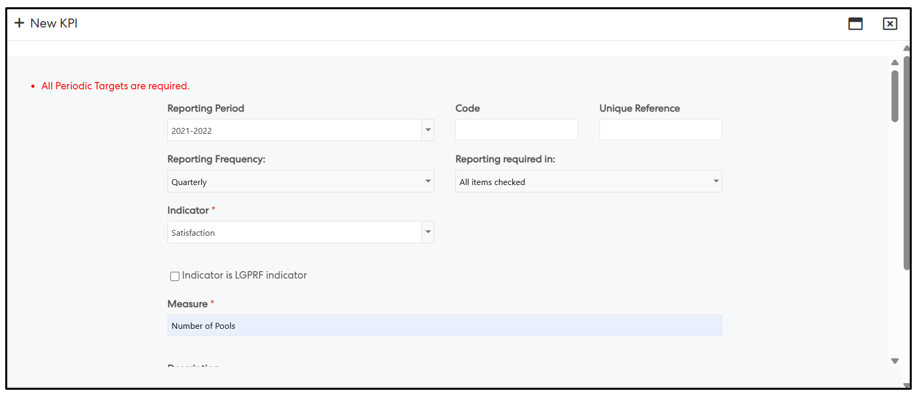
An indicator cannot be saved without all period targets defined.
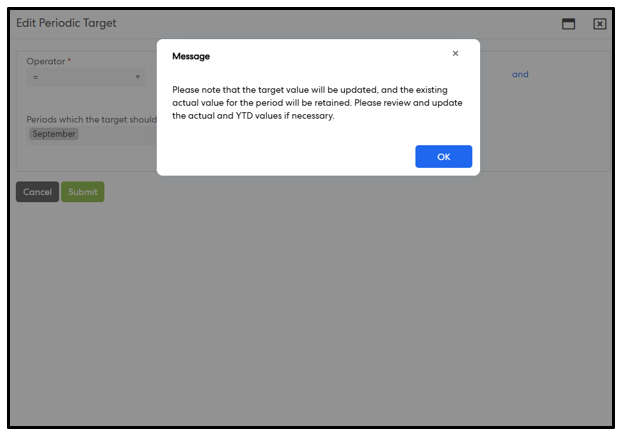
When the Type or Frequency is changed, any previously defined targets will be removed. A prompt will inform the user that while progress updates for the period will be retained, they should review and update them as needed. This change may also affect YTD calculations depending on the configuration.
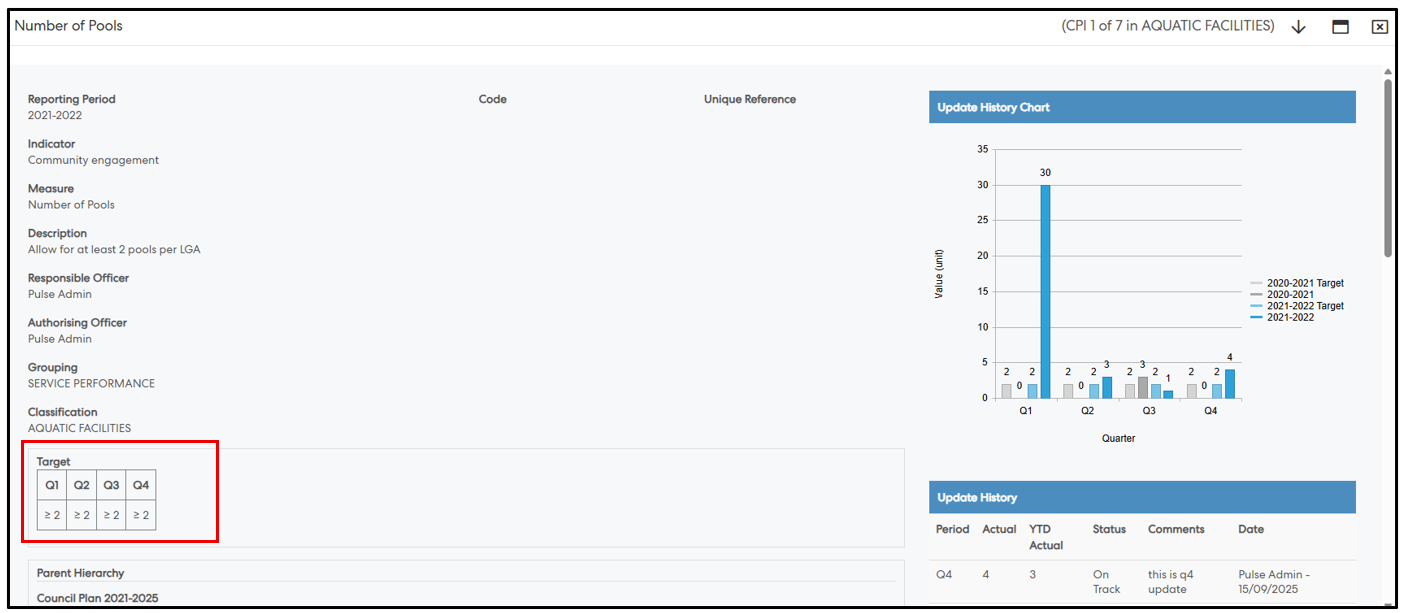
View KPI Screen
Target section now displays all period-wise targets (Monthly: Jan–Dec Targets, Quarterly: Q1–Q4 Targets, Half-Yearly: H1, H2 Targets, Annual: Annual Target)
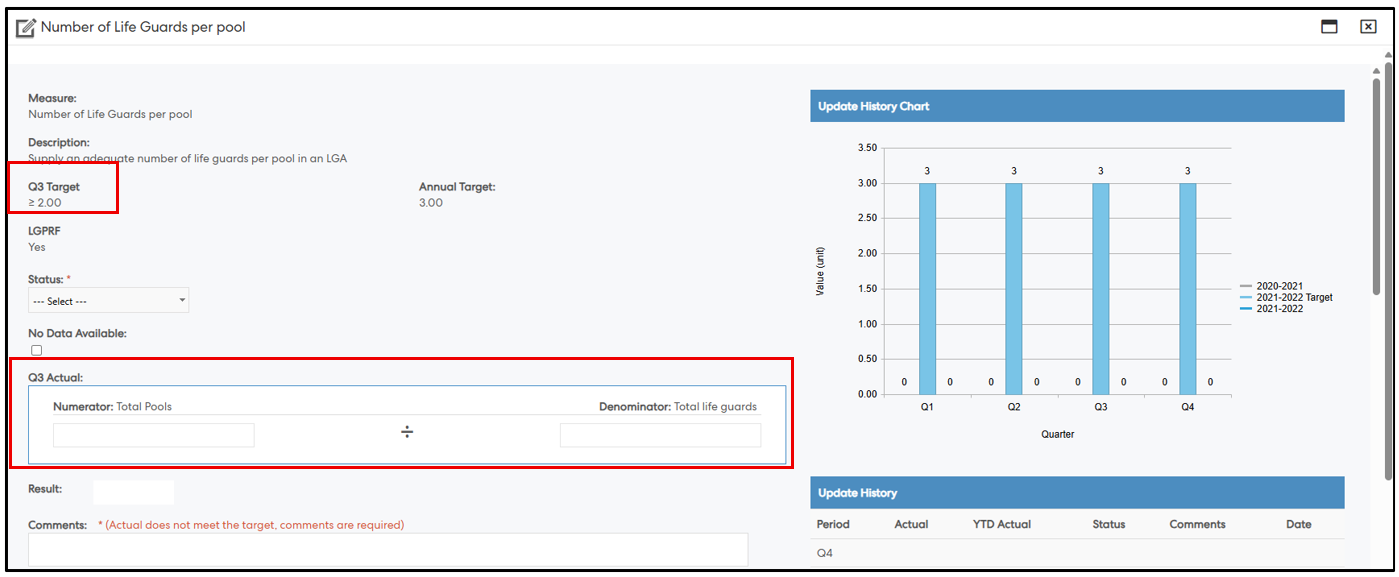
Update KPI Screen
Shows the period-specific target based on the period filter.
Actual value calculation follows the specific period's target calculation method
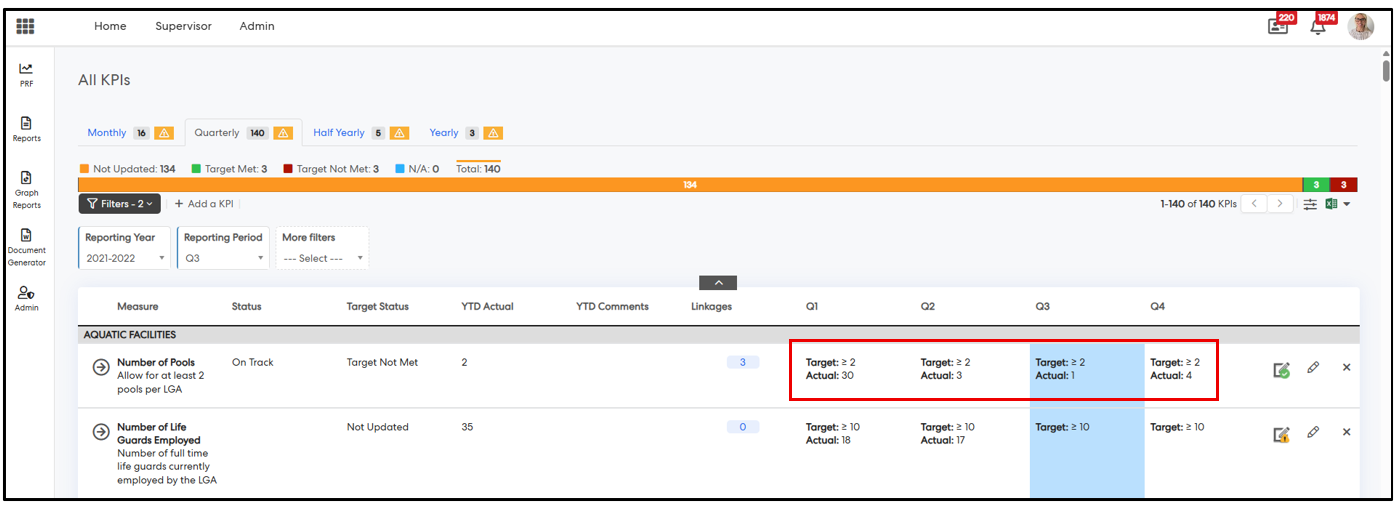
Grids (My Indicators, Authorize KPI, All KPI)
The existing Target column is fully removed.
Actual columns now show Target + Actual together (with bold labels and line breaks).
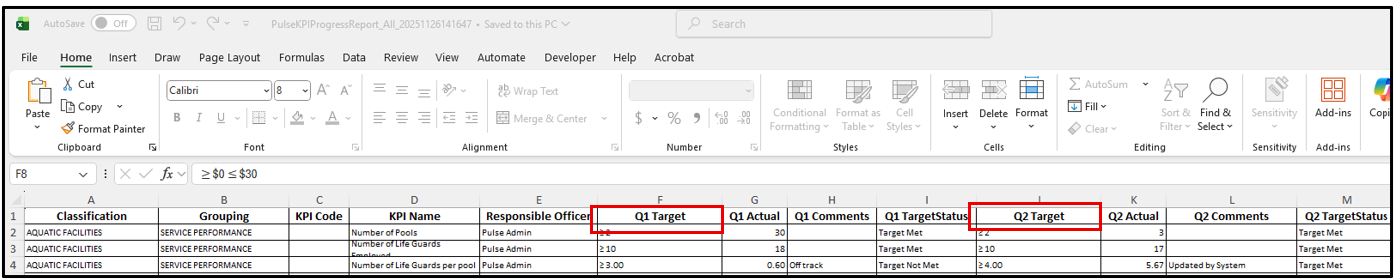
Excel Export - Columns export separately as:
Q1 Target, Q1 Actual
Q2 Target, Q2 Actual, etc.
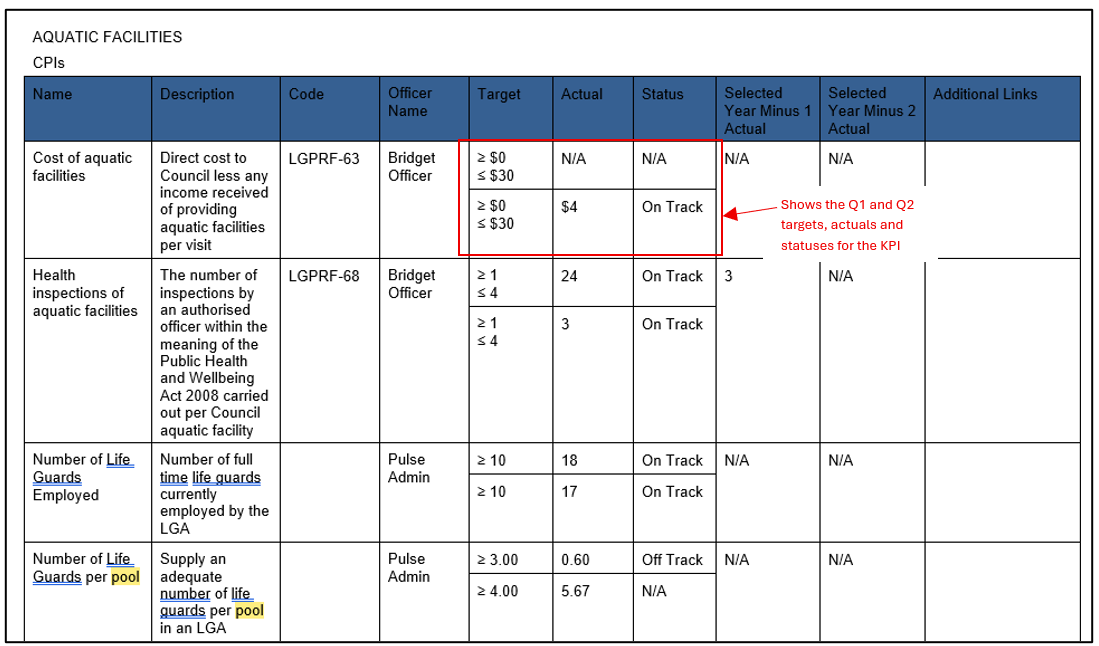
Reporting - KPI and related CPR Reports including Document Generator Reports
Target column replaced with period-wise target columns, e.g.: Q1 Target, Q1 Actual, - A screenshot of KPI Progress Report (screenshot 1) and CPI Configurable Report from Document Generator section (screenshot 2) below for reference
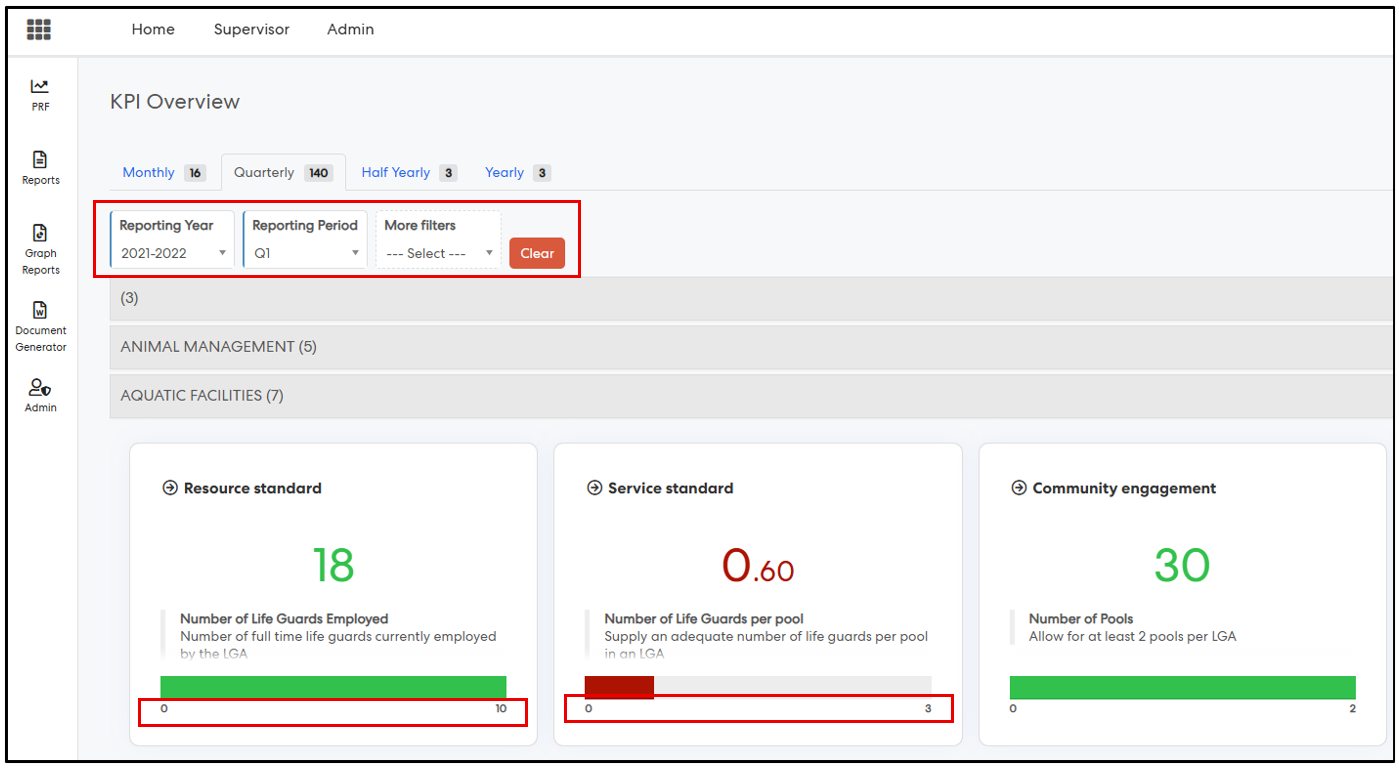
CPI Overview - Graphs now use period-specific targets.
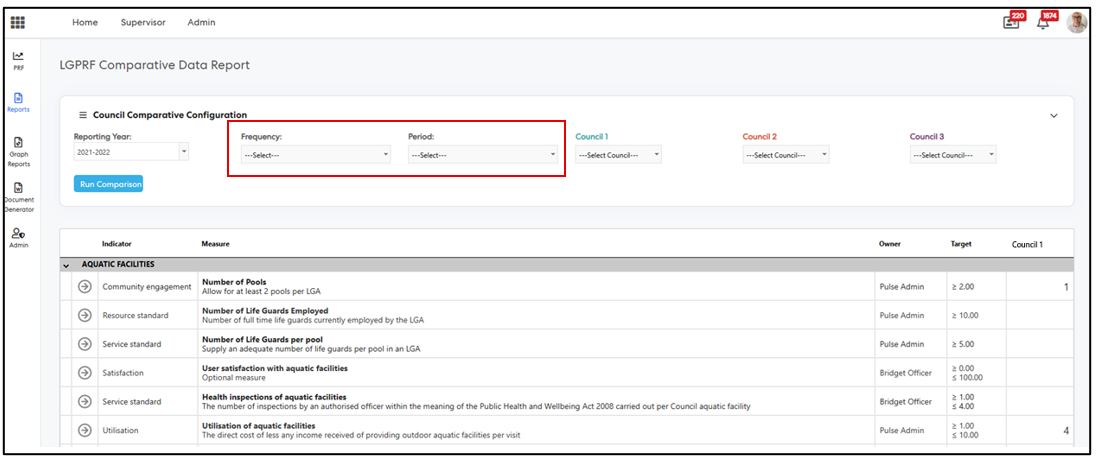
Comparative Data Report - New filter criteria has been introduced: Frequency + Period filters are mandatory to be used together. This functions as follows;
Target
Actual
When no filters (default)
Target of current period
Latest actual of current period
With Frequency + Period
Target of selected period
Latest actual of selected period
This video explains the new behaviour and highlights the differences from the previous behaviour.
Detailed documentation on the changes is found in here.